
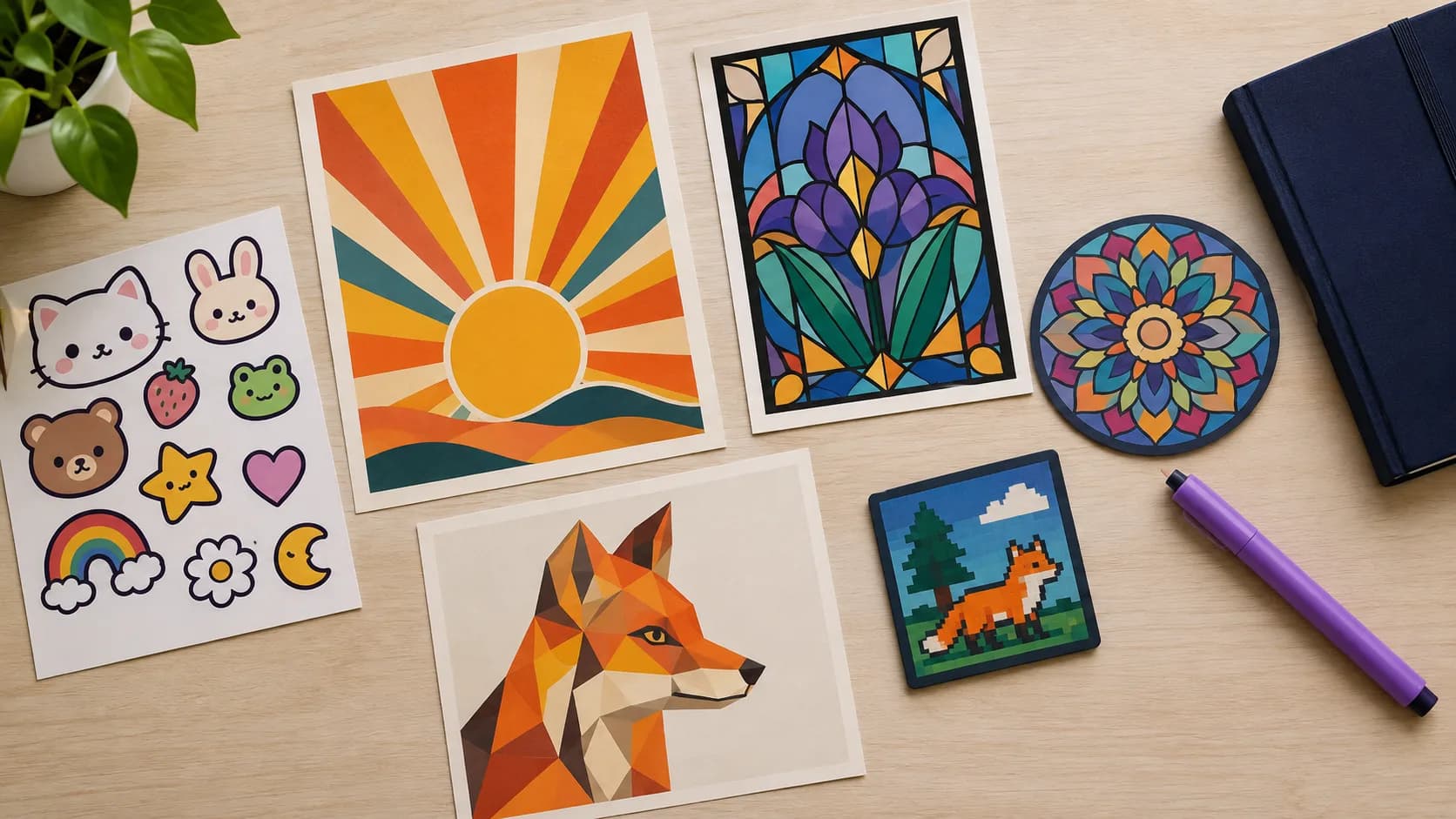
SvgCraft has 22 color SVG styles. They all follow the same technical rules and go through the same vectorization, so the style you pick mainly changes the look of the artwork. The fastest way to choose is to start from what you are making: a sticker, a character, a logo, a decorative pattern or a general illustration.
This guide groups the 22 styles by use, describes what each one looks like and says where it works best. The descriptions come from what each style asks the image model to draw.
What every color style has in common
Whatever style you choose, a Color generation in SvgCraft produces:
- Flat, fully opaque color regions. The generation asks the image model for at most 8 solid colors.
- One editable shape per color. You can recolor or adjust each area in the editor.
- A transparent background.
- The same price: 2 credits per generation, for every color style.
These rules are there because gradients and soft shading do not convert cleanly to vector shapes. Why color SVG is hard explains the reasons. If you need one-color cut files for vinyl or a laser instead, read Black and White vs Color SVG first.
How to choose a color style in SvgCraft
- Open SvgCraft Projects.
- Open the style picker and select the Color tab. It lists all 22 color styles; the Black & White tab holds the 8 one-color styles.
- Pick a style, then type a prompt or upload an image. When you upload an image, SvgCraft asks the image model to redraw it in the chosen style while keeping its subject, pose, framing and recognizable colors.
- Generate.
If two styles seem right, generate the same prompt in both and compare. The guide to writing prompts for clean color SVG helps you get more consistent results.
General illustration styles
Use these when you need a clean illustration that does not have to follow a specific trend.
Flat Illustration
A modern flat vector look with simple geometric construction, clean silhouettes and 4 to 8 harmonious colors with clear light and dark contrast. It is the safest all-round choice for blog graphics, presentations, web illustrations and print-on-demand designs.
Colored Line Art
Consistent medium-weight dark outlines around every form, filled with 3 to 6 flat colors, like a colored-in coloring-book page. Good for educational graphics, children's products and designs where outlines should stay clearly visible.
Botanical
Flowers, leaves and stems drawn as clean flat shapes in natural greens and flower colors, in a balanced arrangement, without fine veins or texture. Suits cottagecore products, wedding stationery, plant shop branding and seasonal prints.
Paper Cut
Stacked cut-paper layers with smooth organic edges, getting depth from 4 to 7 overlapping flat colors that run from light to dark. Works well for landscapes, greeting cards and wall art that needs depth without shadows.
Character and mascot styles
Use these when the subject is a character, an animal or a person with personality.
Cartoon Mascot
An expressive, friendly character with exaggerated proportions, thick dark outlines and bright cel colors. A strong choice for brand mascots, kids' products and social media characters.
Kawaii
Chubby rounded shapes with a tiny face, dot eyes and blush cheeks, in soft pastels with a dark brown outline. Made for cute stickers, stationery, baby products and planner decorations.
Kids Doodle
Simple rounded shapes that look hand-drawn, with a playful, naive feel, thick friendly outlines and bright cheerful colors. Good for nursery decor, classroom materials and children's party designs.
Comic
Dynamic comic-book inking with bold black outlines, flat color and solid black shadow shapes, without halftone dots. Fits action scenes, superhero-style characters and posters with energy.
Pop Art
Comic-book energy in bold primary colors and black, with thick black outlines and flat color blocks, also without halftone dots. Useful for bold T-shirt prints, posters and bold social graphics.
Sticker, badge and logo styles
Use these when the design must work as a single, self-contained graphic.
Sticker
One self-contained die-cut subject with a thick, uniform dark outline around the whole silhouette, in vivid flat colors. This is the style to start with for stickers and print-then-cut projects, because the outline gives a clear cutting edge. Making color SVG stickers and print on demand designs covers the full workflow.
Vintage Badge
A circular or shield badge with a central emblem and a banner ribbon, in a symmetrical layout with 3 to 5 muted vintage colors. If your prompt asks for text, it adds bold lettering; check the spelling before you use it. Good for brewery, coffee shop and outdoor brand marks, patches and labels.
Esports Logo
An aggressive, dynamic mascot head or figure with sharp angular shapes, thick outlines and a strong emblem silhouette, in 3 to 5 bold contrasting colors plus black and white. Made for gaming team logos, stream branding and jersey graphics.
Traditional Tattoo
American traditional tattoo flash: bold, heavy black outlines, limited flat fills in the classic red, yellow, green and blue palette, and iconic tattoo motifs with a strong, readable silhouette. Fits tattoo flash sheets, apparel and old-school sticker designs.
Retro and trend styles
Use these when the design should clearly belong to a period or an aesthetic.
Retro Groovy
A 1970s look with rounded bubbly forms, wavy stripes and sunburst rays, in warm colors such as burnt orange, mustard, brown, cream and teal. Suits retro T-shirts, mugs and posters.
Boho
Organic, minimal shapes such as arches, suns, rainbows and leaves in a calm, balanced composition, using earthy muted colors like terracotta, sage, sand, blush and rust. Suits nursery art, home decor prints and lifestyle branding.
Art Deco
Strong geometric symmetry with sunbursts, stepped forms and elegant straight and curved lines, in 3 to 5 colors such as gold, black, cream and one jewel tone. Good for event invitations, packaging and upscale posters.
Y2K
A playful early-2000s style with bubbly rounded shapes, stars and sparkles in bright hot pink, lilac, cyan and lime, without chrome gradients. Fits trend-driven apparel, stickers and social media graphics.
Pixel Art
Chunky, large pixels on a strict square grid with no anti-aliasing, like a retro 16-bit game sprite, in 4 to 8 flat colors. Useful for game-themed merchandise, retro icons and nostalgic prints.
Geometric and ornamental styles
Use these when structure and pattern matter more than a hand-drawn feel.
Isometric
A true isometric 30-degree projection with blocky objects and buildings and no perspective. Each object color gets one lighter top-face tone and one darker side-face tone, with at most 8 flat tones in total. Made for tech and SaaS illustrations, infographics and miniature scenes.
Low Poly
The subject is built from large flat triangular facets with crisp straight edges, showing light and shadow as flat tones in 5 to 8 colors. Works for animal portraits, landscapes and modern wall art.
Stained Glass
The subject is divided into glass cells by bold, uniform black lead lines, with each cell filled in one of 4 to 7 jewel-tone colors. Good for decorative prints, window-style art and religious or seasonal designs.
Mandala
A radially symmetrical design with bold petals and rings, made of large closed segments without hairline details, in 4 to 8 flat colors. Suits wall art, meditation and yoga products and decorative prints.
Quick picks by project
- Stickers: Sticker, Kawaii, Cartoon Mascot
- T-shirts and print on demand: Retro Groovy, Pop Art, Traditional Tattoo, Flat Illustration
- Logos and badges: Vintage Badge, Esports Logo, Cartoon Mascot
- Kids and nursery products: Kids Doodle, Kawaii, Boho
- Wall art and decor: Paper Cut, Mandala, Stained Glass, Low Poly, Botanical
- Websites, presentations and infographics: Flat Illustration, Isometric
- Invitations and stationery: Art Deco, Botanical, Colored Line Art
- Gaming and retro themes: Pixel Art, Esports Logo, Y2K
Check the result
Before you use a design, run it through the clean SVG checklist, and for cut projects with several colors see how to use color SVG files with Cricut and Silhouette.
Find your style
To browse finished results first, visit the SvgCraft gallery, or go straight to SvgCraft Projects and open the Color tab.
How this article was made: drafted with AI assistance and checked by the SvgCraft team against SvgCraft's current product behavior.